Home > Model Components > SubStructures Floaters
SubStructure Floaters
This is a specific type of floaters that requires a beam model and a panel mesh associated to each beam segment of the model. Some background on this specific feature can be found in Substructures. This component was introduced in Version 5.9 to replace the component Multi Structure Floater.
This component is easier to modify but the user must check the compatibility of the structural and hydrodynamic meshes. The structural mesh is now defined directly in the interface as done for a Morison type floater. The floater from a structural point of view is then made of line elements connected to rigid bodies. On the other hand a generic floater is defined in the interface with an hydrodynamic mesh defined with sub meshes (the substructures). The objective is that each submesh corresponds either to a segment of a line in the floater's structural mesh or to a rigid body. A specific tutorial explains how to define such model.
Once a structural mesh and hydrodynamic mesh have been created, the user clicks on the floater arrow and then on Substructure floater (see Figure 1). Then, the user can drag and drop the structural mesh and hydrodynamic mesh on the substructure icone (see Figure 2). Once this is done, user can edit subfloater (see Figure 3). On substructure panel, user can associate structural and hydrodynamic parts of mesh (in red). To consider added mass and hydrodynamic loads on rigid bodies that have a mesh, the user must fill the Rigid body -> Substructure table (in green). Then Substructure motion type can be modifed (in blue). Once the user has clicked on "Edit motion type", it can be imposed Motion as "Calculated with substructure, low frequency wave loads and Morison damping" (see Figure 4).
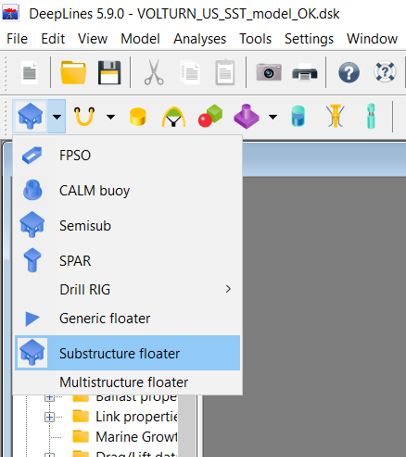
Figure 1 : Create Substructure.
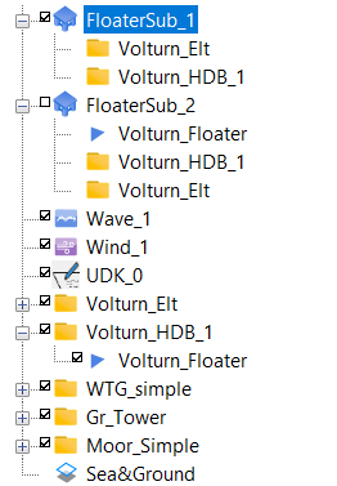
Figure 2 : Drag and drop strucutural and hydrodynamic meshes.
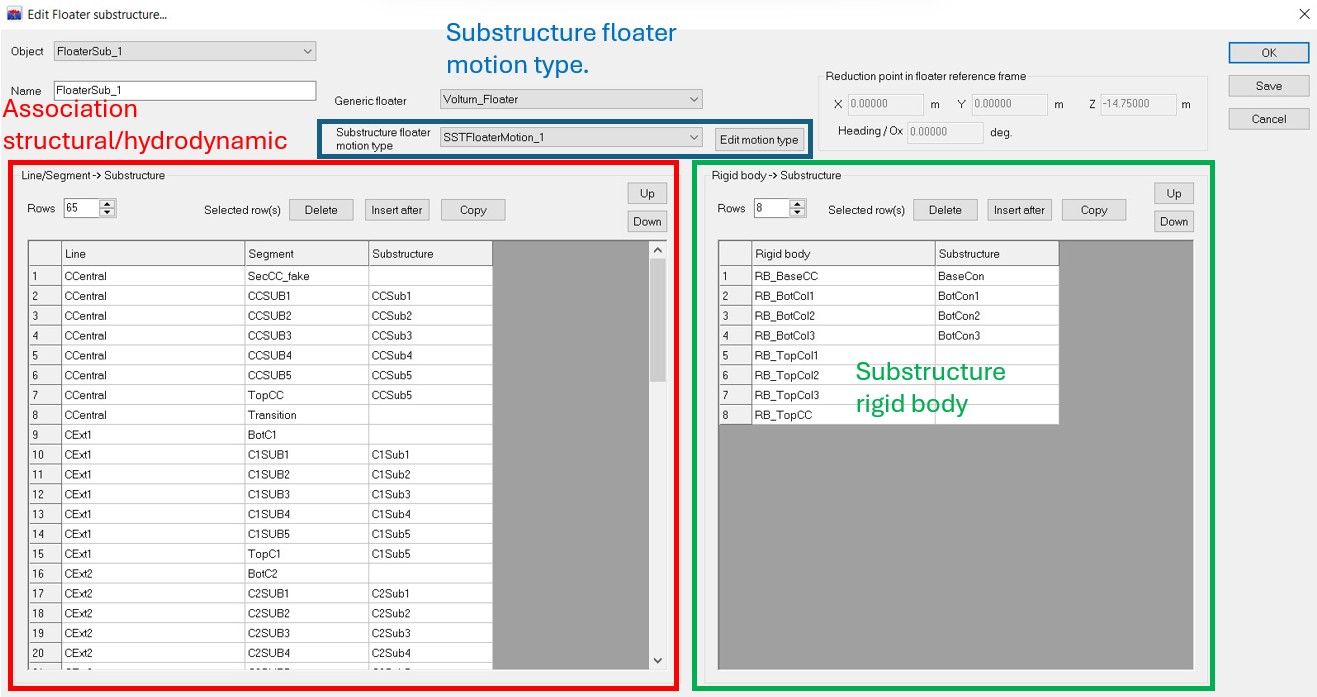
Figure 3 : Substructure panel.
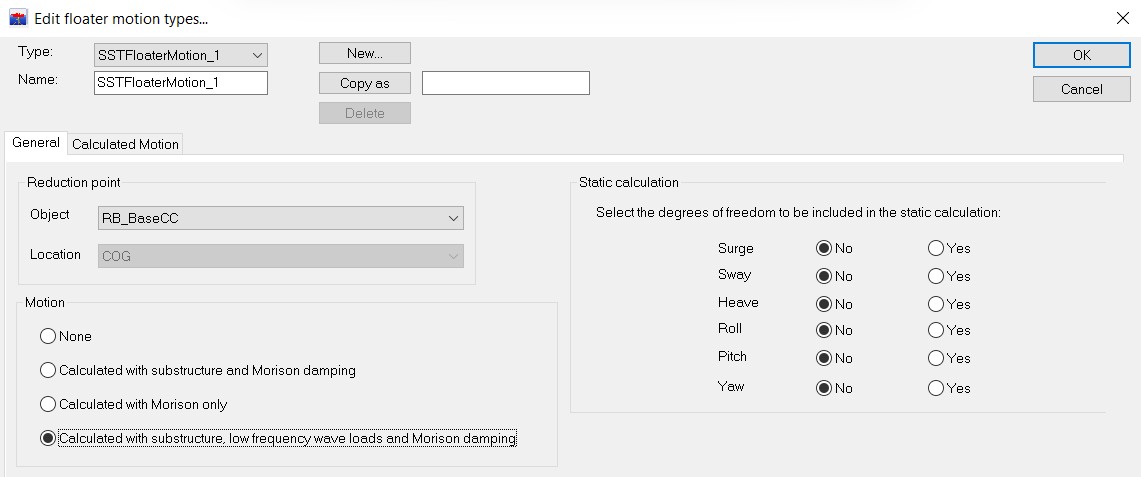
Figure 4 : Floater Motion Type.
